Techcommunicators.com | WRM Home | Writing Styleguide | Dictionary of Plain English | Feedback | Glossary | Index
 

6   Methods of Presentation

Form Illustrations

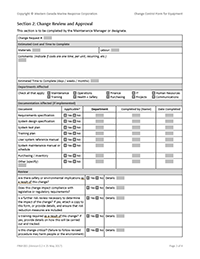
Use form illustrations to show readers what a form looks like and how it should be filled in. You can also include a blank copy for photocopying. See Figure 6-2.

If you have a lot of forms, put them in an appendix so they don’t interfere with the text. If you have only a few, place them as closely following their reference as you can.

Figure 6-2: Sample form with callouts

Figure 6-2: Sample form with callouts

Tips on Using Forms

Here are some tips on using forms:

  • If the form may be filled in by hand, show the sample filled in by hand rather than typed. This helps the reader distinguish between the form and the information that has been filled in.

  • If you reduce the size of the form to fit it on the page, make sure that the type remains legible.

  • Use arrows with callouts for instructions on filling in blanks. Omit instructions for obvious blanks, like Your Name, unless you have a specific need (such as last name first).

  • If you don’t have the source files for the form, or the form is to be shown filled in, scan the form using a graphic scanner and integrate it with your word processor file.

Online Forms

You can use online forms to show readers what a form looks like and how it should be filled in. Here are some options for placing forms online:

  • Provide an unlocked downloadable copy of the word processor file so that readers can customize it to create their own form.

  • Provide a locked downloadable copy of the word processor file so that readers can fill in the form fields online and print out the form.

  • Use software such as Adobe Acrobat, which allows users to display, fill in, and print copies of a form without accessing the software used to create the form. To view an Acrobat file, readers must have a copy of the Acrobat Reader installed. The reader is available free of charge from Adobe’s Web site.

  • Provide an interactive form to be filled in and submitted online to a database located on the organization’s server. You can find many examples of electronic forms on the Internet.
Figure 6-3: Sample interactive online form

Figure 6-3: Sample interactive online form

thumbnailTips on Using Online Forms

Here are some tips on using online forms:

  • Let users decide if they want to download and view the form—many will not want to, and because the file is usually large, it can be slow to download.

  • Use a thumbnail of the form for the button.